 RuneCake
New here? Accounts are free but RS Credits (RC) are not — there is no starter balance. This guide shows how to buy Bitcoin with MoonPay or an exchange, then deposit it to RuneCake so you can trade OSRS gold.

Registration is free and takes a moment — click Register on any page. New accounts start with 0 RC. There is no signup bonus, so the next step is buying crypto.
MoonPay is a fiat-to-crypto onramp: it lets you buy BTC with a debit/credit card, bank transfer, Apple Pay or Google Pay, depending on your country.
Tip: buy a little more BTC than the RC amount you plan to deposit — network and onramp fees, plus price movement, can leave you short otherwise.
Sign in, open the Crypto Payment tab on the marketplace, enter how much RC you want, and click 🔒 Lock BTC Amount. The site shows the exact BTC to send, the deposit address, a QR code and a countdown timer (30 minutes by default).
Copy the address with the copy button or scan the QR — don't type it by hand.
From your wallet or exchange, send only Bitcoin (BTC) on the Bitcoin network to the address in the quote, using the exact amount shown. Then click ✅ I've Sent the BTC so support knows to look for your payment.
Never: send BCH, BTC on another network, tokens, ETH or USDT; send a different amount; or send from an account you don't control. Wrong-network or wrong-amount deposits may be unrecoverable.

Bitcoin confirmations usually take about 10–60 minutes depending on network fees. Support verifies the transaction and credits the RC to your wallet; the deposit then appears in your transaction history. If it hasn't arrived after a few confirmations, open Live Chat with your order number and transaction ID (TXID).
You can pay with a debit or credit card through a regulated onramp such as MoonPay, then deposit the Bitcoin you receive. RS Credits are never bought with a card directly — the card buys BTC, and the BTC funds your RC wallet.
Card payments are handled entirely by MoonPay. RuneCake never sees or stores your card details. If you get stuck, open Live Chat with your MoonPay order reference and your RuneCake deposit order number.
MoonPay isn't the only option. Any service that lets you buy BTC and send it to your own wallet works:
Good for beginners. Buy BTC with a bank transfer or card, then send it from your Coinbase wallet to the quote address. Bank transfers are cheaper; cards are faster.
Low trading fees and strong security. Fund with a bank transfer, buy BTC, then withdraw on the Bitcoin network.
Convenient for small amounts. Some of these hold crypto internally by default — make sure BTC withdrawals to an external address are enabled before you deposit.
Bitcoin-focused apps with recurring buys and fast withdrawals. Check withdrawal fees and limits before sending.
| Item | What to expect |
|---|---|
| RS Credits rate | 1 RC = $1 USD. The site shows the live BTC → RC rate in the Crypto Payment tab before you lock a quote. |
| Minimum deposit | 10 RC = $10 (about 0.0001 BTC at the default rate). The quote shows the exact minimum for your session, and amounts can be entered in 1 RC increments. |
| Quote window | 30 minutes by default. Send the payment before the timer expires; expired quotes may need support help. |
| Onramp fees | MoonPay and exchanges charge their own card/bank and service fees. Always check the final total before paying. |
| Bitcoin network fee | Paid by you when sending from your wallet. Higher fees mean faster confirmations. |
| RC credit time | After network confirmations and support review — usually minutes to an hour, occasionally longer. |
Accounts are free but RC is not. Registration no longer includes a starter balance — add funds through Crypto Payment (or have support credit you) before trading.
Yes — use a fiat onramp like MoonPay, Coinbase or Kraken to turn the card payment into BTC, then deposit that BTC here. We don't accept card payments directly.
No. Deposits are Bitcoin (BTC) on the Bitcoin network only. Sending other assets or networks can result in a lost deposit.
Open Live Chat with your order number, amount, TXID and the time you sent it. Support can review the transaction, but exact-amount deposits are much easier to match.
Usually after 1–3 Bitcoin confirmations plus a support review. Use Live Chat if it's been more than an hour with no update.
 Fire cape
 Quest icon
 Attack skill
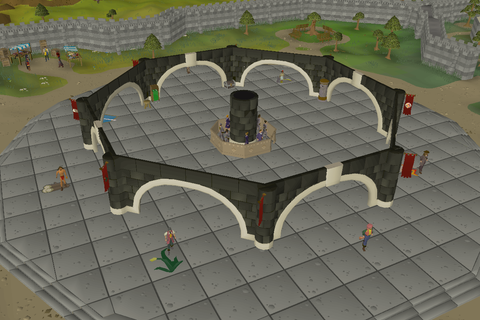 Grand Exchange
Images: Old School RuneScape Wiki / Jagex Ltd., CC BY-NC-SA 3.0.
